I'm Ready to Crush School T-Shirt Design
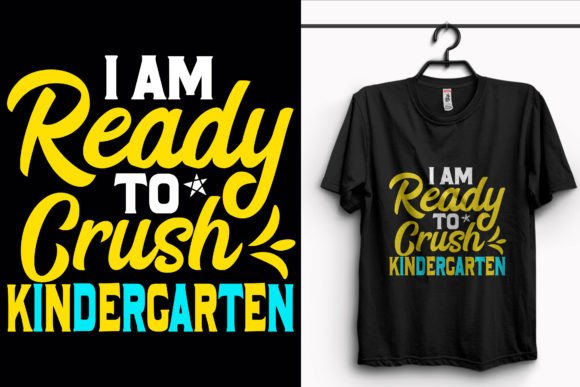
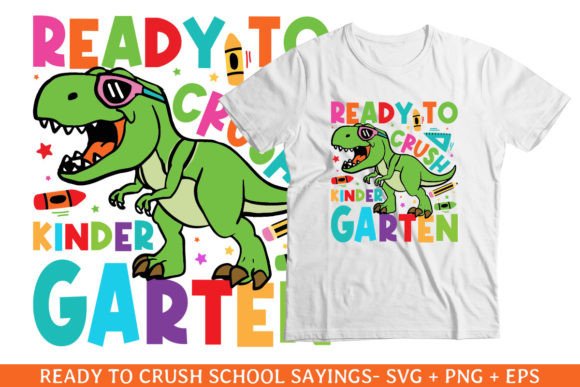
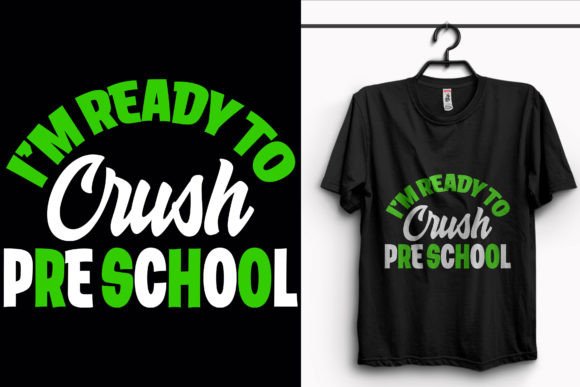
If you've ever scrambled last-minute for a kindergarten back-to-school outfit that’s cheerful, legible, and actually fits the tiny shoulders of a five-year-old—this I'm Ready to Crush School T-Shirt Design is built for that moment. It’s not flashy or overdesigned. It’s bold, friendly, and instantly readable—even from across the playground. And because it comes with full commercial-use files, it works just as well for a parent printing one shirt at home as it does for a POD seller launching 50 SKUs before Labor Day.
What You’re Actually Getting (and Why It Matters)
This isn’t just a cute graphic—it’s a production-ready toolkit. You’ll receive 1 SVG, 1 AI, 1 PNG, 1 PDF, 1 EPS, and 3 JPEG files, all based on the same clean vector artwork. That means whether your workflow runs on Cricut Design Space, Adobe Illustrator, Canva Pro, or even Silhouette Studio, you’re covered. No re-tracing, no pixelation, no guessing where the cut lines go.
The design itself is set at 4500×5400 pixels @ 300 DPI RGB—a size that holds up sharply on toddler tees, youth sizes, and even oversized crewnecks. And because it’s built from 100+ vector shapes, resizing doesn’t mean blurring or distortion. Want the “Crush” text bigger? Shrink the star icon? Swap navy for mustard yellow? You can do it in seconds—not hours.
Real People, Real Uses—Beyond Just Back-to-School
Yes, it’s perfect for kindergarteners strutting into their first classroom—but its usefulness spreads far beyond that single day.
- Small Print-on-Demand Sellers: Launch a “First Day Confidence” collection without hiring a designer. Upload the SVG to Printful or Gooten, pair it with soft cotton tees and matching drawstring bags, and run targeted Instagram ads to local parent groups. The high-contrast lettering and minimal detail keep print costs low and approval rates high.
- Classroom Teachers & PTA Volunteers: Need matching shirts for orientation day or a “Kindness Crew” initiative? Use the PDF version to send to your school’s printer—or open the AI file to add your school mascot beside the slogan. No design experience needed.
- Hobby Crafters & Vinyl Enthusiasts: Cut the design cleanly on a Cricut Maker or Roland BN-20 using the included SVG or EPS. The clean edges and grouped layers mean less manual cleanup and fewer weeding mistakes—especially important when working with glitter or heat-transfer vinyl on light-colored onesies.
- Educators Making Learning Materials: Pull the PNG into Google Slides to create morning meeting visuals, or drop the vector into a Canva invitation for a “Back-to-School Picnic.” The consistent line weight and rounded sans-serif font are easy for early readers to recognize—making it useful beyond apparel.
Why File Variety Isn’t Just Nice—It’s Necessary
You don’t pick a file type because it sounds impressive—you pick it because your tool demands it. A JPEG won’t cut on your Silhouette Cameo. An unflattened AI file might glitch in a basic DTG printer interface. That’s why this pack includes formats for every common need:
- SVG for craft cutting machines and web use;
- AI & EPS for professional editing and large-format printing;
- PNG with transparent background—ideal for mockups, social posts, or digital newsletters;
- PDF for quick proofing, sharing with printers, or embedding in lesson plans;
- JPEGs in multiple sizes—so you don’t have to resize mid-deadline when uploading to Etsy or Redbubble.
All files maintain the same color integrity and spacing. There’s no surprise shift in kerning or alignment between versions—just consistency you can rely on.
Practical Things to Consider Before Using It
Before dropping this into your next project, ask yourself a few grounded questions:
- Who’s wearing it? If it’s for preschoolers, stick with short-sleeve tees and avoid small decorative elements (like tiny stars) that could peel or pose a choking risk. The current design avoids that—clean shapes, no fine details.
- Where’s it being printed? DTG printers love RGB PNGs. Screen printers prefer vector-based EPS or AI files with separated colors. Sublimation requires high-res JPEGs or PNGs with no transparency issues. This pack covers all three workflows.
- Do you need licensing clarity? These files come with standard commercial license—meaning you can sell products made with them, but you can’t resell the files themselves or claim copyright over the original design. Always double-check terms if you're integrating into a larger branded collection.
- Is color flexibility built-in? Yes—and that matters more than it sounds. Instead of being locked into one palette, you can adjust hues directly in Illustrator or change swatches in Cricut. That lets you match school colors, coordinate with sibling shirts, or refresh inventory seasonally without buying new art.
More Than a T-Shirt—A Starting Point
This I'm Ready to Crush School T-Shirt Design works because it balances simplicity with versatility. It doesn’t try to be everything—but it *does* what it promises, reliably: helps kids feel capable, gives creators flexibility, and saves time for people who’d rather be packing lunchboxes than wrestling with layer masks.
Whether you’re prepping for your own child’s first week, building a micro-brand around joyful learning, or stocking a local boutique with locally relevant back-to-school gear—this design fits naturally into real workflows. It prints crisply, scales cleanly, edits easily, and communicates confidence without shouting.
If you’re looking for this kind of practical, production-ready design—or want to explore similar eye-catching t-shirt graphics for other milestones (first day of middle school, graduation prep, teacher appreciation)—you’ll find options built with the same attention to file utility, readability, and real-world use. No fluff. No filler. Just tools that work when you need them to.